The simple solar monitoring app for South African homes
See where your power is going right now, get an alert the moment the grid goes down, and know what your solar saves you in rand. For Sunsynk systems today, with Deye on the way.
- Read-only: never changes a setting
- No ads, no analytics
- Made in Pretoria
- Works with Sunsynk (Sunsynk Connect)
- Deye Cloud coming soon
- Android 8 and newer
- Read-only, always
See where your power is going, right now
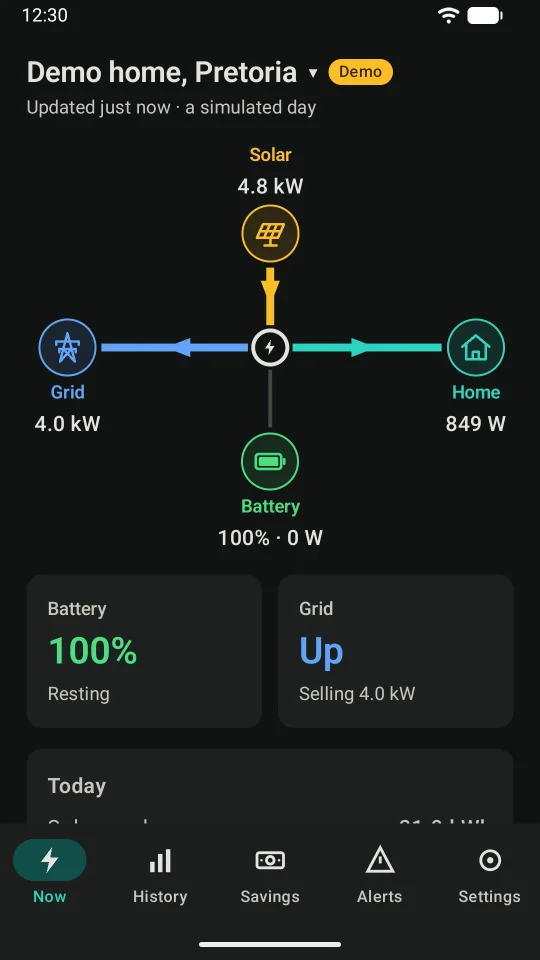
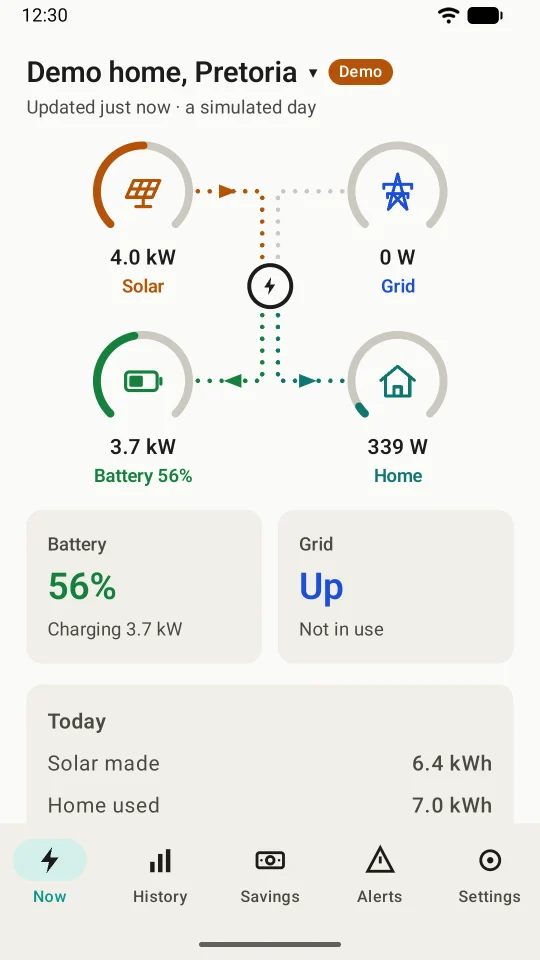
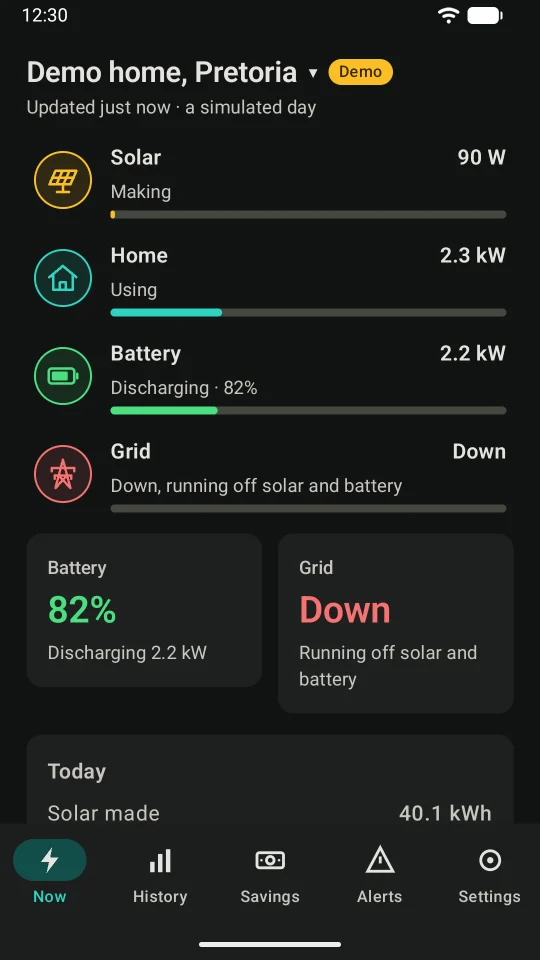
Solar, battery, grid and home on one clear screen, in the layout that makes sense to you. Pick one when you set up, and change it any time in Settings.
- SolarWhat your panels are making now, and today's total.
- BatteryIts charge, and whether it's charging or running your home.
- GridUp or down, and whether you're buying or selling.
- HomeWhat your home is using now, and today's total.
- Always currentRead once a minute while the screen is open, with the time of the last reading.
- Plain words"Down, running off solar and battery", not a code to look up.
Know the moment the power goes off
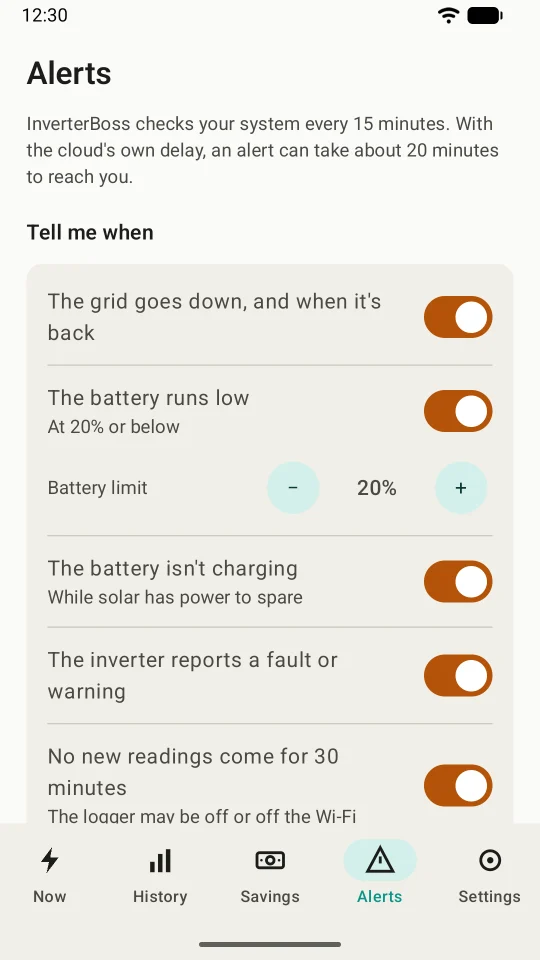
Load-shedding, a cable theft or a tripped main switch: when the grid goes down at home, InverterBoss tells you on your phone, wherever you are. Then it tells you when the power is back, and how long it was gone.
 InverterBoss · 18:02
The grid is down
Home is running on solar and battery, with the battery at 82%.
InverterBoss · 20:34
The grid is back
Home has the grid again, after about 2 h 30 min without it.
InverterBoss · 05:40
Battery low
Home's battery is down to 20%.
You also choose alerts for a battery that isn't charging or is running hot, an inverter fault, a quiet logger and a poor solar day. InverterBoss checks every 15 minutes, so with the cloud's own delay an alert can take about 20 minutes to reach you.
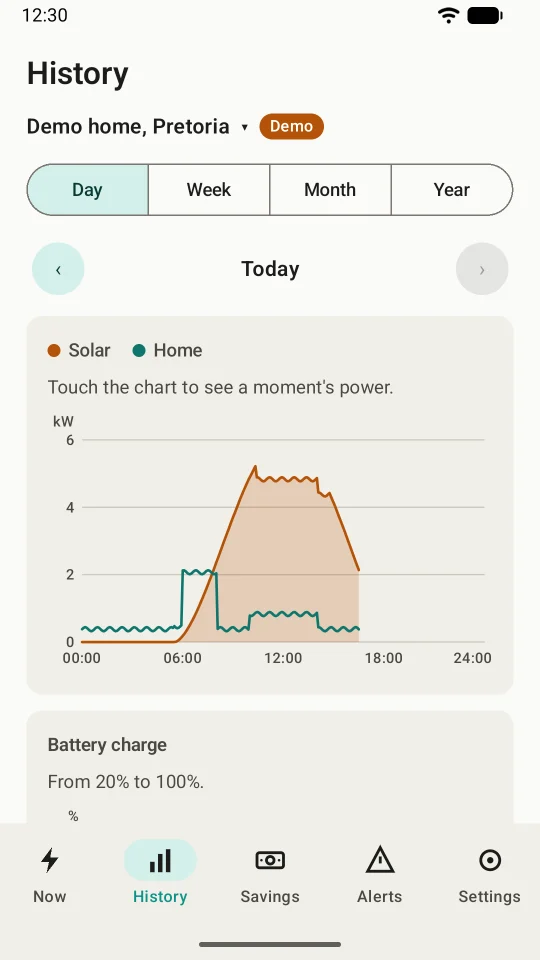
Your days, weeks, months and years
See when your panels peak, when your home uses the most, and how your battery's charge rose and fell. Touch the chart to see any moment.
- Day, week, month and year
- A monthly report to share as a picture or a PDF
- Export to CSV for your own spreadsheet
What your solar saves you, in rand
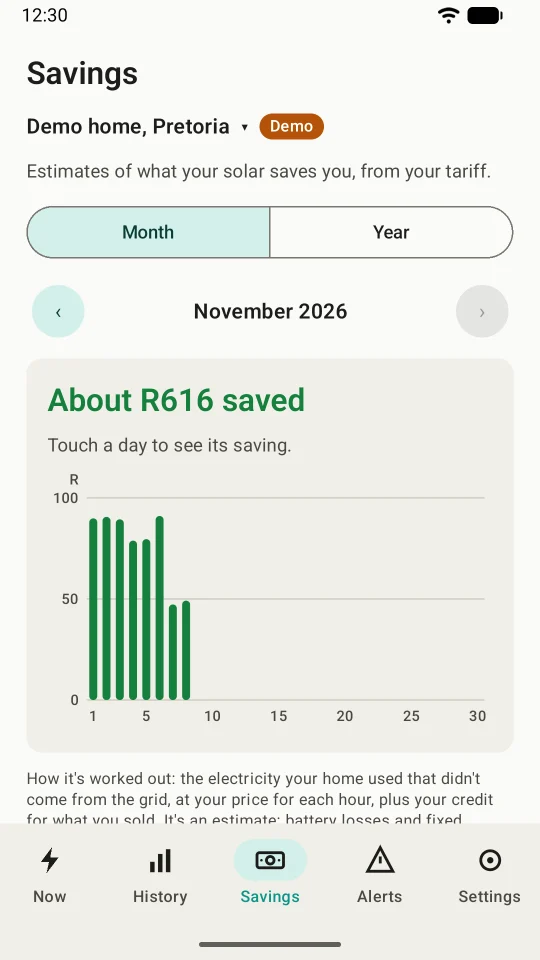
Add your tariff once, flat or time-of-use, with a credit for what you sell back. InverterBoss works out what your system saved you each day, month and year, from your own readings.
- Your municipality's or Eskom's price, by the hour if it changes
- Credit for power you sell back to the grid
- Always an estimate, with the working shown
Made for the way we use solar here
Several systems
Your home, a holiday home or your parents' place. Switch between them at the top of the screen.
Home-screen widgets
Your battery and the grid on your home screen, without opening the app.
Live at home
Readings every few seconds from your inverter's Wi-Fi logger when you're home, on loggers that allow it.
Light and dark
A dark look for checking the battery at night, and big, clear numbers in both.
A demo to try first
Two simulated homes, with a grid outage at dinner time, so you can see everything before you sign in.
Big text welcome
Every screen works with your phone's largest text size, and with screen readers.
Read-only. Always.
InverterBoss can't change a single setting on your inverter. It only reads, so your installer's setup stays exactly as it is. Your Sunsynk login goes only to Sunsynk, and InverterBoss keeps the sign-in Sunsynk gives back encrypted on your phone, never your password. There's no Kindly Made account, no ads and no analytics.
Free to use. Premium when you want more.
Prices in rand, VAT included. New subscribers get 14 days of Premium free.
Free
R0
Everything you need to see what your system is doing.
- The live power flow, as tiles, a flow diagram or a list
- Your battery's charge, and whether it's charging or running your home
- Whether the grid is up, and today's totals
- Light and dark looks
- A demo with two simulated systems
Premium
R49.99 a month
or R399.99 a year, a third less than paying monthly
- Alerts: the grid down and back, battery low or hot, faults, a quiet logger, a poor solar day
- History by day, week, month and year
- A monthly report as a picture or PDF, and CSV export
- Savings in rand, from your own tariff
- Several systems
- Home-screen widgets
- Live readings every few seconds at home
Paid through Google Play, and you can cancel any time there.
Set up in a few minutes
Get the app
InverterBoss is an Android app, from Google Play. It's in testing now, and opens to everyone soon.
Sign in, or try the demo
Choose Sunsynk Connect and sign in with the email and password you use there. Just looking? Tap "Try the demo".
Pick your view and alerts
Choose tiles, a flow diagram or a list, and what you'd like to hear about. That's it.
Questions and answers
What is the best app to monitor my solar inverter?
It depends on what you want. Your inverter maker's app, such as Sunsynk Connect, shows everything and lets you and your installer change settings. InverterBoss is for owners who want a simpler view: what's happening now, an alert when the grid goes down, history and savings in rand, and no way to change a setting by accident.
Which inverters does InverterBoss work with?
Sunsynk inverters that report to the Sunsynk Connect app. Deye Cloud sign-in is coming in an update, and SOLARMAN Smart in a later version. If your system uses another app, email us and tell us which.
Is InverterBoss free?
Yes. The live power flow, your battery, the grid and today's totals are free. Premium adds alerts, history, reports, savings, several systems, widgets and live readings at home, for R49.99 a month or R399.99 a year. New subscribers get 14 days free.
Can InverterBoss change my inverter's settings?
No. It's read-only by design: it only asks your system for readings, and has no way to send a setting.
Is my Sunsynk password safe?
Your email and password go straight from your phone to Sunsynk, to sign in. InverterBoss keeps the sign-in that Sunsynk gives back, encrypted on your phone and left out of backups, and never your password. Your readings stay on your phone.
How quickly will I know when the power goes off?
InverterBoss checks your system every 15 minutes, so with the cloud's own delay an alert can take about 20 minutes to reach you. At night, from 22:00 to 06:00 unless you change it, only "the grid is down" makes a sound; the rest wait quietly until morning.
Does it work during load-shedding?
Yes, as long as your inverter's Wi-Fi logger and your router stay on (most homes run them from the backup supply) and your phone has signal or Wi-Fi. If the logger goes quiet, InverterBoss can tell you that no new readings have come for 30 minutes.
Is there an iPhone app?
Not yet. InverterBoss is for Android 8 and newer, from Google Play.
Is InverterBoss made by Sunsynk or Deye?
No. It's made by Kindly Made, a small app maker in Pretoria. We're not affiliated with Sunsynk, Deye or SOLARMAN; we use their names only to say which systems InverterBoss works with.
When can I get it?
InverterBoss is in testing on Google Play now, and opens to everyone soon. Have a Sunsynk system and want to try it sooner? Email [email protected].
Coming soon to Google Play
InverterBoss is in testing now, and opens to everyone soon. Have a Sunsynk system and want to try it before then? Email us to ask about joining the test.